When shopping for a laptop, tablet, or Chromebook, you may see specifications such as 64GB eMMC or 128GB eMMC. But what is eMMC, how is it different from an SSD, and is it enough for everyday use? The short answer is that eMMC is affordable, compact storage commonly used in entry-level devices. It can work well for browsing, streaming, schoolwork, and cloud-based apps, but it is usually slower and less flexible than an SSD. Because eMMC is normally soldered to the motherboard, you generally cannot replace or upgrade it. If you run out of space, a microSD card, USB drive, or external SSD may be the most practical solution.
Quick recommendation: eMMC can be sufficient for a low-cost Chromebook or a secondary device. For a Windows laptop you plan to keep for several years, a model with at least a 256GB SSD is usually the better buy.
eMMC, short for Embedded MultiMediaCard, is a compact and cost-effective type of flash storage designed to be permanently integrated into a device’s motherboard. Unlike removable SD cards, eMMC contains both NAND flash memory and a built-in controller within a single chip. This combination allows it to manage data operations without relying heavily on the device’s main CPU. Because of its simplicity and low cost, eMMC has become a popular storage solution in entry-level laptops, budget tablets, Chromebooks, smartphones, and various embedded systems. While not designed to compete with high-performance SSDs, eMMC provides a stable, lightweight, and power-efficient option for basic digital storage needs.
How Does eMMC Work?
eMMC uses NAND flash memory to store data and an integrated controller to manage reading, writing, error correction, wear leveling, and other basic operations. Integrating these parts makes eMMC simple and inexpensive for manufacturers to add to compact devices.
The tradeoff is performance. eMMC generally has fewer data channels and a less sophisticated controller than a modern SATA or NVMe SSD. As a result, an eMMC device may take longer to boot, install updates, open large applications, or handle several storage-heavy tasks at once.
Performance also varies by eMMC generation, the quality of the flash, available free space, and the device itself. The storage label alone does not tell you exactly how fast a laptop will feel.
Is eMMC Storage the Same as RAM?
No. eMMC is storage, while RAM is working memory.eMMC storage keeps Windows, ChromeOS, apps, and personal files after the device is turned off. RAM temporarily holds the data that active programs need. Its contents are cleared when the device shuts down.
For example, a laptop advertised with 4GB RAM and 64GB eMMC has 4GB of working memory and 64GB of internal storage. More RAM helps with multitasking; faster and larger storage improves file capacity, app installation, updates, and many loading operations.
What Is eMMC Storage?
eMMC storage refers to the internal storage of a device that uses Embedded MultiMediaCard technology. It performs the same function as a traditional HDD or SSD by storing the operating system, installed applications, user files, caches, and temporary data. Since eMMC is soldered directly to the motherboard, it contributes to a slimmer device design and lower manufacturing cost. Its compact structure makes it ideal for ultra-portable devices such as budget laptops and tablets. However, the soldered design also means that eMMC cannot be replaced, upgraded, or expanded like an SSD, which is an important factor for users who plan long-term usage.
What Is eMMC Memory?
Many people confuse eMMC storage with device memory (RAM), but they serve completely different purposes. RAM is responsible for running active tasks and applications; it determines how many programs you can keep open simultaneously. eMMC, on the other hand, stores your data permanently until you delete it. When a device advertises “64GB eMMC,” it refers to storage capacity, not system memory. This misunderstanding often leads to users purchasing devices that appear powerful on paper but fall short in performance due to limited RAM or slower eMMC storage speeds.
What is eMMC Storage Capacity?
Different devices come with different eMMC capacities depending on the price level and target audience. When evaluating a device, it’s important to understand what each storage size can realistically handle.
What Is 16GB eMMC?
16GB eMMC is the lowest tier of embedded storage and is typically found in extremely budget-friendly tablets, children’s devices, or basic educational Chromebooks. With such limited space, the operating system itself almost fills the entire storage. Users will often have to rely heavily on cloud services like Google Drive or OneDrive, and even installing system updates may require external storage. This capacity is suitable only for the most basic digital tasks such as web browsing, online learning, or streaming content.
What Is 32GB eMMC?
A step above 16GB, 32GB eMMC is still considered very limited, especially for Windows devices that require significant storage for updates. Chromebooks perform better with this capacity because they rely more on cloud applications and online tools. Devices with 32GB eMMC are suitable for students, light browsing, or users who primarily use web-based apps. However, users may still need external storage to store photos, videos, or documents.
What Is 64GB eMMC?
64GB eMMC is one of the most common storage sizes for budget laptops and Chromebooks. It offers enough space for everyday productivity tools, browser usage, video streaming, and basic applications. However, for Windows users, 64GB may still feel tight over time, especially when updates accumulate. Users who use cloud storage regularly will experience fewer issues. Although storage remains non-upgradeable, 64GB eMMC is a practical middle-ground option for light multitasking and general school or office work.
For ChromeOS, 64GB may be adequate if you use cloud storage. For Windows, it can become cramped after updates and app installations. If the device supports microSD, adding a card is an inexpensive way to store media and documents.
128GB eMMC provides more breathing room and is typically found in mid-range Chromebooks and some lightweight laptops. With this capacity, users can store larger files, install more applications, and handle a wider range of tasks comfortably. It still won’t match the flexibility or speed of an SSD, but it offers a noticeably improved experience over 32GB or 64GB models. Devices with 128GB eMMC are ideal for students, casual professionals, and travellers who need a reliable and power-efficient device without spending a lot.
Can You Upgrade or Expand eMMC Storage?
You usually cannot replace the internal eMMC chip, but you may be able to add usable storage externally. Check which ports and card slots your device has before buying an accessory.
Option 1: Add a microSD Card
A microSD card is a convenient choice for a Chromebook, tablet, or laptop with a compatible slot. It works well for photos, videos, downloads, and documents. It is less suitable than an SSD for demanding applications or constant heavy writes.
Before ordering, confirm the maximum card capacity supported by your device.
Option 2: Use a USB or USB-C Flash Drive
A flash drive is a low-cost way to move or archive documents, photos, and videos. A dual-connector model is especially useful if you need both USB-A and USB-C.
Flash drives are convenient for portable files, but an external SSD is generally a better choice for larger libraries and frequent transfers.
Option 3: Connect an External SSD
An external SSD is the strongest all-around upgrade when internal eMMC cannot be replaced. It offers more capacity and typically much faster file transfers than a basic flash drive or memory card. It is a good fit for large photo collections, video files, backups, and project folders.
Best solution for most users: If your 64GB or 128GB eMMC storage is full and cannot be upgraded, a portable SSD is one of the easiest ways to add fast, high-capacity storage without replacing the computer.
An external drive does not make the internal eMMC faster, and it may not solve every operating-system update issue. Keep some free space on the internal drive and move large personal files to the external SSD.
Option 4: Add a Card Reader or USB-C Hub
If your device lacks the necessary port or card slot, a reader or hub can connect microSD cards, external drives, displays, and other accessories.
Check whether your device uses USB-C or USB-A and whether its USB-C port supports the functions you need, such as charging or video output.
Option 5: Replace the Device With an SSD Laptop
External storage helps with file capacity, but it cannot fully remove eMMC performance limitations. If Windows updates, apps, and everyday tasks are consistently slow—or the internal drive remains critically full—a new SSD laptop may be the more sensible long-term solution.
For general everyday work, 256GB SSD storage is a practical minimum. Consider 512GB or more if you keep many files locally or install larger applications.
What Is eMMC in a Laptop or Computer?
In a laptop or computer, eMMC performs the same basic role as an HDD or SSD: it stores the operating system, applications, and user files. Manufacturers use it primarily to keep entry-level devices compact, efficient, and inexpensive.
An eMMC laptop is best suited to light tasks such as:
Web browsing and email
Streaming music and video
Google Docs or Microsoft 365 web apps
Online classes
Light document editing
Cloud-based workflows
It is a poor match for frequent large-file transfers, modern gaming, software development environments, video editing, or heavy multitasking.
What Is an eMMC Hard Drive?
Although people sometimes refer to eMMC storage as an “eMMC hard drive,” the term is technically incorrect. A traditional hard drive (HDD) uses spinning disks and mechanical arms to read and write data, while eMMC uses flash memory with no moving parts. eMMC is more similar to an SD card or USB flash drive, but with a controller that provides slightly improved stability. It is far less powerful than SSDs and is not intended to replace them in performance-oriented devices. Instead, eMMC functions as an ultra-budget internal storage option for lightweight computing.
What Is an eMMC Flash Memory?
eMMC flash memory refers to the integrated flash component that stores data in the eMMC chip. Flash memory is known for being lightweight, energy-efficient, and reliable for basic storage needs. The inclusion of a built-in controller makes eMMC more stable than raw flash memory used in removable devices. This controller handles essential tasks such as error correction, wear leveling, and block management. These features help extend the lifespan of eMMC despite its lower performance ceiling compared to SSDs.
What Is an eMMC Module?
An eMMC module is a self-contained storage unit that includes both flash memory and the controller on a compact chip. While most consumer devices use soldered eMMC that cannot be removed or replaced, some industrial devices and embedded systems use modular eMMC components that can be swapped when damaged or worn out. These modules provide flexibility for specialized applications but remain rare in consumer laptops or tablets. The modular approach is valuable for robotics, smart devices, and automotive systems where storage may need periodic maintenance.
Modern SSDs are generally faster, especially during random reads and writes, large file transfers, app installation, and multitasking. eMMC 5.1 has a theoretical interface ceiling of roughly 400 MB/s, but real-world devices may perform well below that. A SATA SSD can approach roughly 550 MB/s, while modern NVMe SSDs can be several times faster.
Headline sequential speeds do not tell the entire story. The stronger controller, parallelism, and random performance of an SSD often make a larger difference to everyday responsiveness.
Capacity
Consumer eMMC devices commonly offer 32GB, 64GB, or 128GB. SSD laptops frequently start at 256GB and are widely available with 512GB, 1TB, or more.
Upgradeability
eMMC is normally soldered to the motherboard and cannot be upgraded. Some laptops also have a separate M.2 slot, but this is model-specific and should be confirmed in the manufacturer’s service documentation.
SSDs may be soldered or removable depending on the laptop. Never assume that every SSD laptop is upgradeable; check the specifications before buying.
Price and Power Use
eMMC is inexpensive and compact, which helps manufacturers build affordable, low-power devices. An SSD costs more but usually provides much better performance, capacity, and long-term usability.
What Is Better: eMMC or SSD?
For speed, storage capacity, and demanding use, SSD is the clear choice. eMMC still makes sense when low price, low power use, and basic cloud-focused computing matter more than performance.
Choose eMMC if you want an inexpensive Chromebook or secondary device for light use. Choose an SSD for a primary Windows laptop, frequent multitasking, large applications, gaming, creative work, or several years of regular use.
What Is 64GB / 128GB eMMC Good For?
64GB and 128GB eMMC capacities are ideal for light workloads. Users who rely primarily on cloud storage, web applications, and streaming will find this storage option adequate. For Chromebooks, these capacities provide a surprisingly smooth experience thanks to their efficient operating system. However, users running Windows or storing large media libraries may find these capacities restrictive. Because eMMC storage cannot be upgraded, buyers should consider long-term needs before choosing a device with limited space.
What Is “Clear eMMC” in Factory Mode?
“Clear eMMC” is an option found in factory mode or recovery settings that completely wipes the eMMC storage. This operation removes the operating system, user data, application files, cache, and partitions—essentially performing a deep factory reset. Manufacturers and technicians use this function to fix system errors, remove corrupted data, or prepare a device for resale. Users should be cautious because clearing eMMC permanently removes all data and cannot be undone. The process should only be used when absolutely necessary or when preparing to reinstall the operating system from scratch.
Pros of eMMC Storage
Helps keep entry-level devices affordable
Compact and suitable for thin designs
Low power consumption
No moving parts
Adequate for light, cloud-based use
Cons of eMMC Storage
Usually slower than an SSD
Commonly available in small capacities
Normally soldered and non-upgradeable
Can become restrictive as apps and updates grow
A failed chip may require motherboard repair or device replacement
Should You Buy a Device With eMMC?
eMMC Is Good For
Devices with eMMC are ideal for students, casual home users, or anyone who primarily uses online tools. It works perfectly for web browsing, streaming, basic office apps, and email. For Chromebook users who store most data in the cloud, eMMC offers a smooth and affordable experience.
Avoid eMMC If
Users who need performance, heavy multitasking, gaming, video editing, or professional software should avoid eMMC-based devices. SSD storage is a much better choice for Windows laptops meant for long-term use.
FAQs
Is eMMC faster than an HDD?
It can feel faster in some lightweight devices because it has no moving parts, but actual performance varies. A modern SSD is normally the better choice for responsiveness and sustained performance.
Can I replace eMMC with an SSD?
Usually not directly. The eMMC chip is commonly soldered to the motherboard. A specific laptop may have a separate M.2 or SATA connection, but you must verify this for the exact model.
Can I install apps on a microSD card or external SSD?
It depends on the operating system and application. External storage is reliably useful for documents and media, but some apps must remain on the internal drive. Check your operating system’s current storage settings.
Is 64GB eMMC enough for Windows?
It can run Windows on a light-use device, but space may become tight after updates, temporary files, and applications. Users who want a primary Windows computer should generally consider at least a 256GB SSD.
Is 128GB eMMC better than 64GB eMMC?
Yes for capacity, but not necessarily for speed. Both remain non-upgradeable in most devices, so compare the price with a similar SSD-based model.
Final Verdict
eMMC is compact, efficient, and inexpensive storage for budget laptops, Chromebooks, tablets, and embedded devices. It is adequate for light computing, but its limited capacity, lower performance, and lack of upgradeability make it less suitable for demanding or long-term use. If you already own an eMMC device and simply need more room, choose a microSD card for inexpensive media storage, a USB-C flash drive for portability, or an external SSD for the best combination of speed and capacity. If the internal storage is slowing down your entire workflow, moving to a laptop with a 256GB or 512GB SSD is the more complete solution.

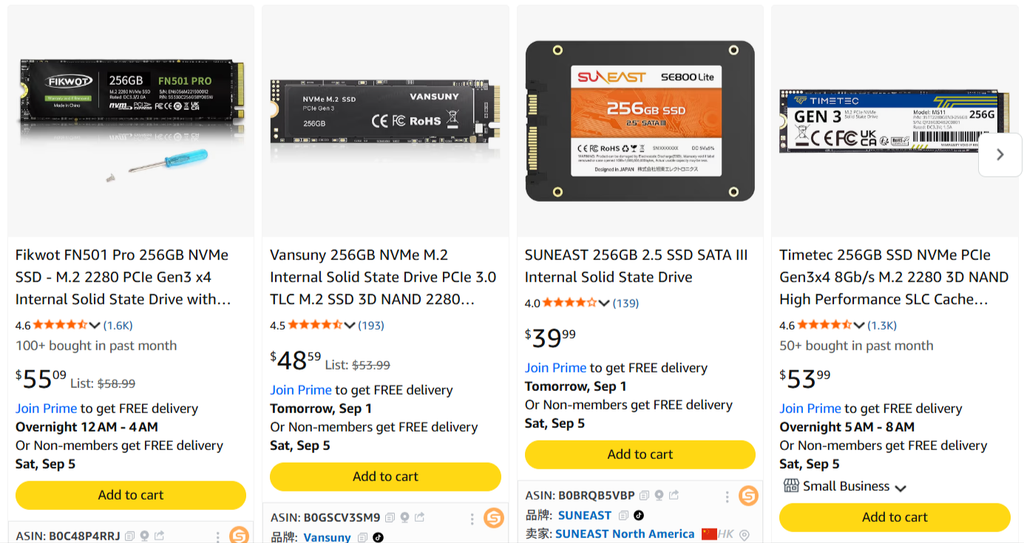

Today's Electronics Deals & Special Offers
Looking for a better price on your next tech purchase? Explore Amazon electronics deals, special offers and savings across popular tech categories.
EXPLORE TODAY'S DEALS ↗Explore Electronics Deals
Ready to Find Your Next Tech Deal?
Browse Amazon's latest electronics offers and discover deals across a wide range of categories.
As an Amazon Associate, we earn from qualifying purchases.